
Connect Kiro to HTFlow
Let Kiro build your site through HTFlow.
- About 5 minutes
- Needs an API token
- Free on every HTFlow plan
Before you start
Create an API token- An HTFlow account — the Free plan is fine.
- Kiro installed.
Set it up
Create an HTFlow API token in HTFlow → Settings → MCP Access Tokens, and copy it. You'll paste it in a moment.
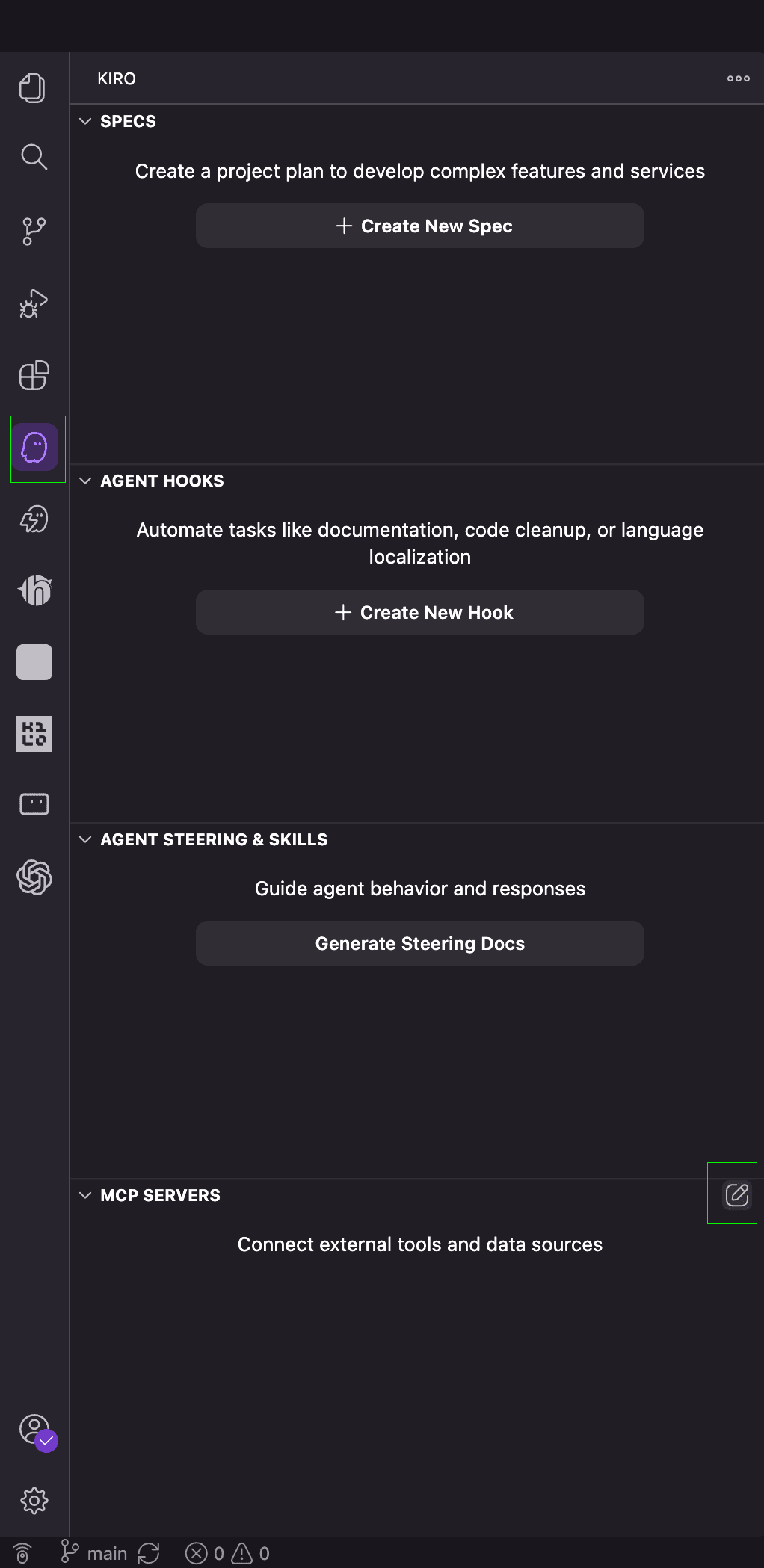
Open Kiro and find "MCP SERVERS" in the left panel. Click the pencil icon at the top-right of that section to open mcp.json.
In the "User Config" tab, paste the config below and replace YOUR_TOKEN with your HTFlow API token.
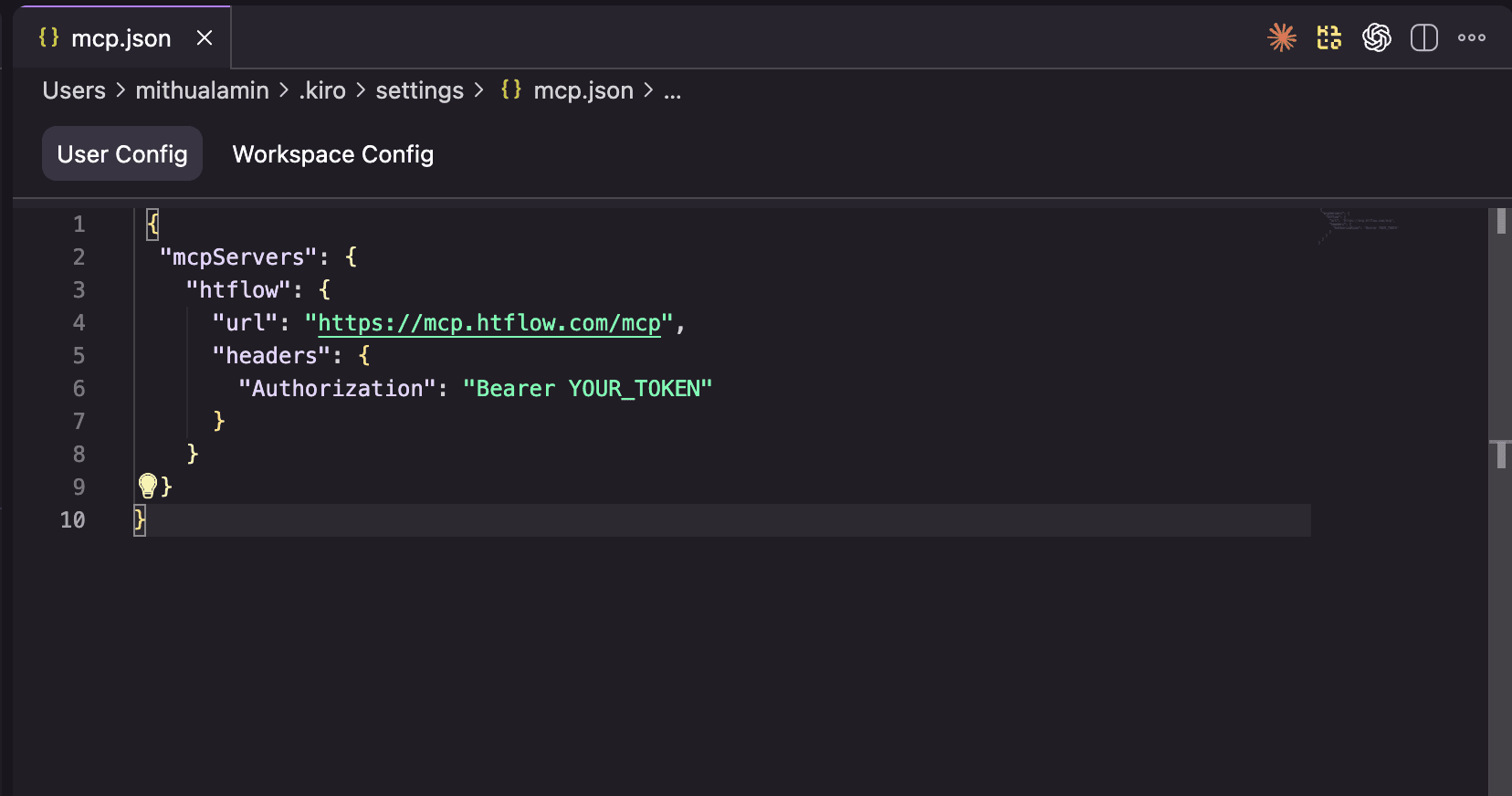
{
  "mcpServers": {
    "htflow": {
      "url": "https://mcp.htflow.com/mcp",
      "headers": {
        "Authorization": "Bearer YOUR_TOKEN"
      }
    }
  }
}
Save the file and restart Kiro. HTFlow now appears under "MCP SERVERS" — ask Kiro to build your site.
Now try it
Ask Kiro something like this. Click a prompt to copy it.
Your new site shows up in your HTFlow dashboard — open it in the builder, copy it to Webflow, or publish it.
Having trouble?
HTFlow doesn't show up in the list of servers
Check that the file is valid JSON — every quote and comma in place — then save it and fully quit and reopen the editor.
It says unauthorized, or 401
The token is wrong or was deleted. Create a new one in HTFlow → Settings → MCP Access Tokens and paste it again, keeping the word “Bearer ” in front.
The AI can't find my site
Ask it to list your sites first. It only sees the sites in the HTFlow account the token belongs to.